Career & Productivity Interactive Web App

Job Search Command Center

Organize your entire job search in one simple workspace.

Track job applications, interviews, follow-ups, and your job-search progress from one place — with built-in AI tools for common job-search tasks.

Overview

Job Search Command Center is an interactive web app designed to help job seekers organize applications, interviews, follow-ups, and other job-search activity in one workspace.

The current version is live and available to use directly in your browser. No account is required for the basic tracker.

See Job Search Command Center in Action

Explore the workspace, application tracking, interview management, follow-ups, AI tools, and mobile experience before you start using it.
Demo video

Screenshots

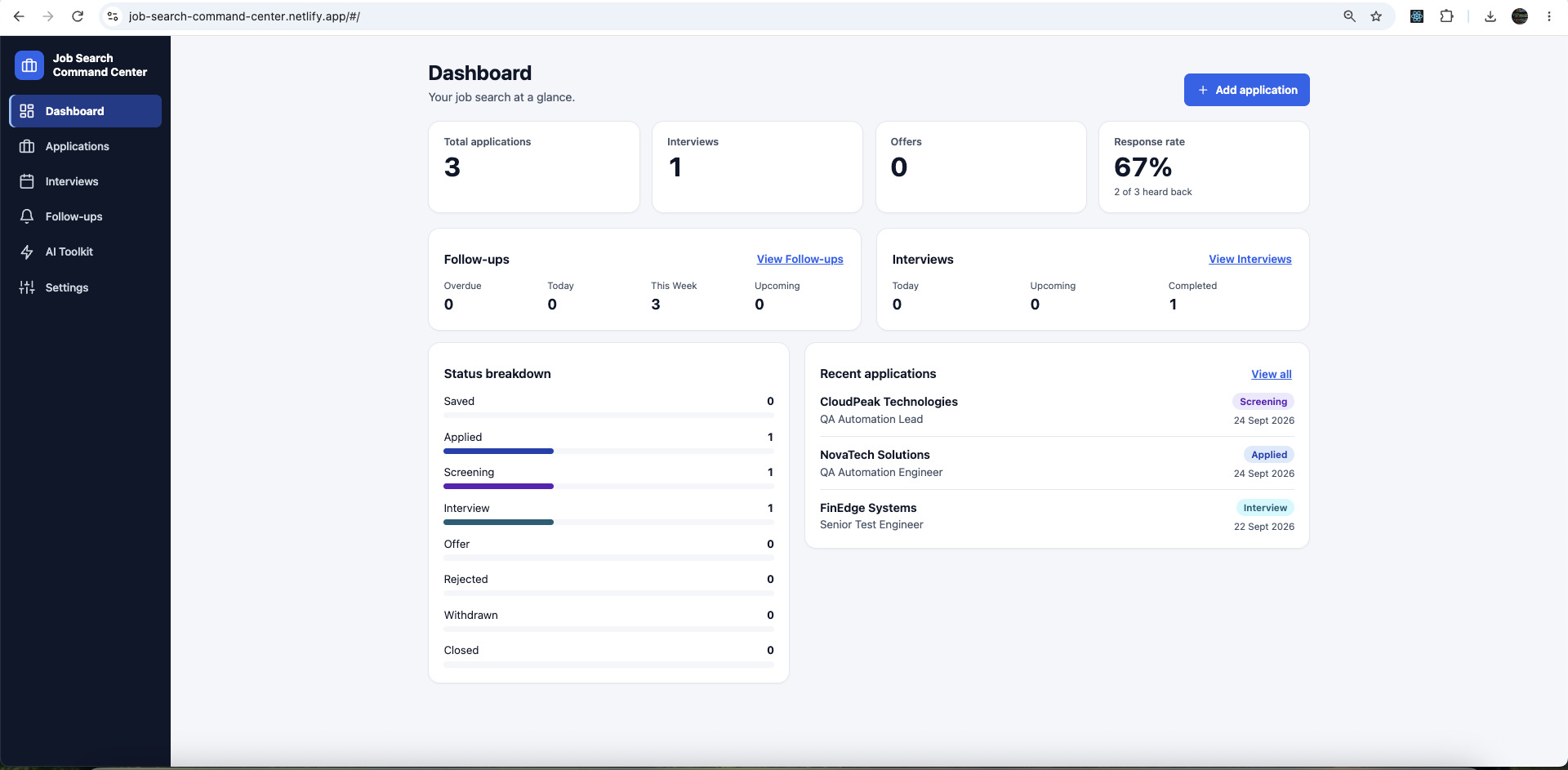
  • Job Search Command Center dashboard with total applications, interviews, offers and response rate, follow-up and interview summaries, a status breakdown and recent applications.
    See your job search at a glance
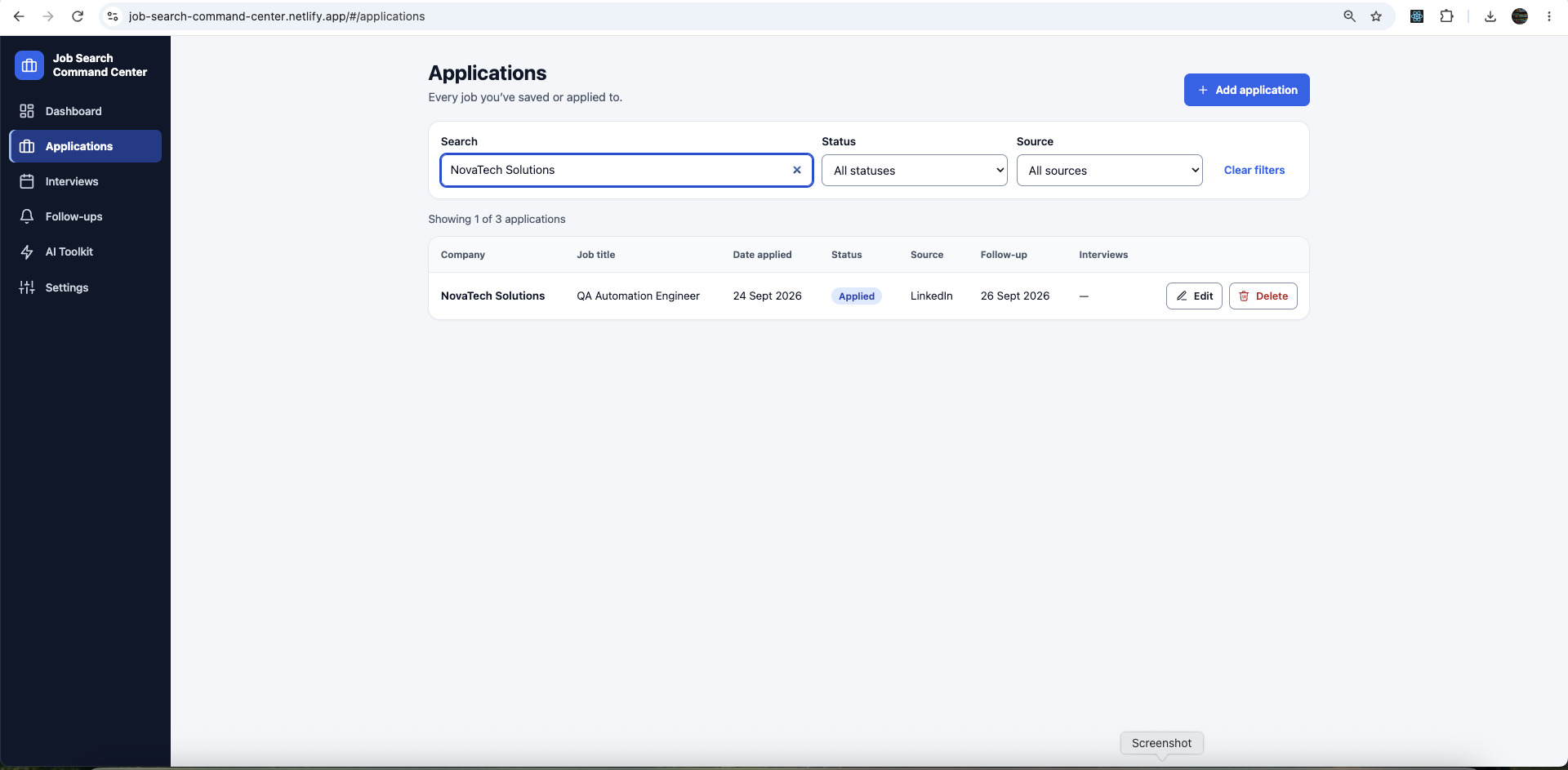
  • Applications page with a search box, status and source filters, and a table of applications with Edit and Delete actions.
    Track, search, and manage your applications
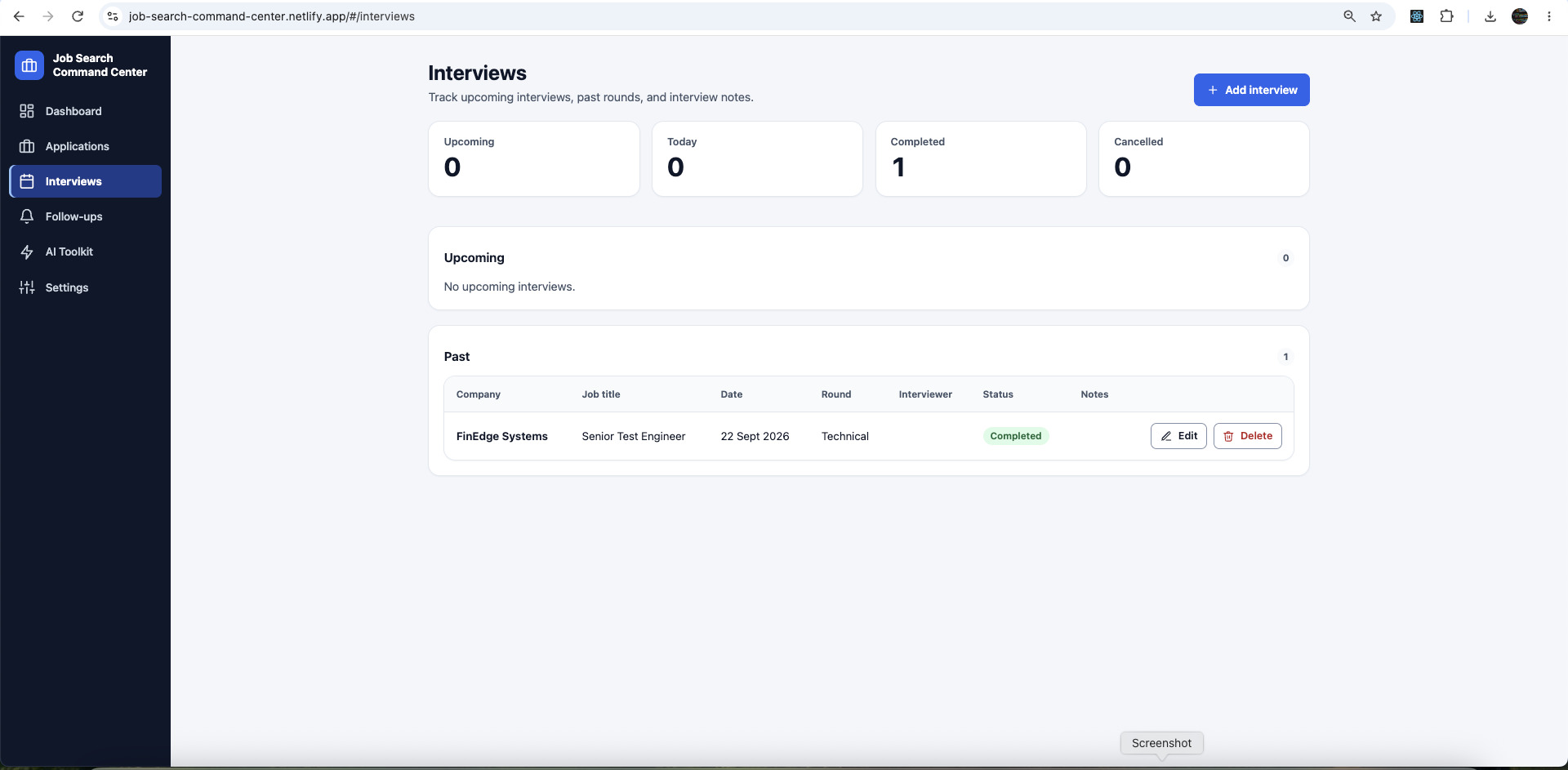
  • Interviews page with upcoming, today, completed and cancelled counts, an Upcoming list and a table of past interviews.
    Keep track of upcoming interviews and past rounds
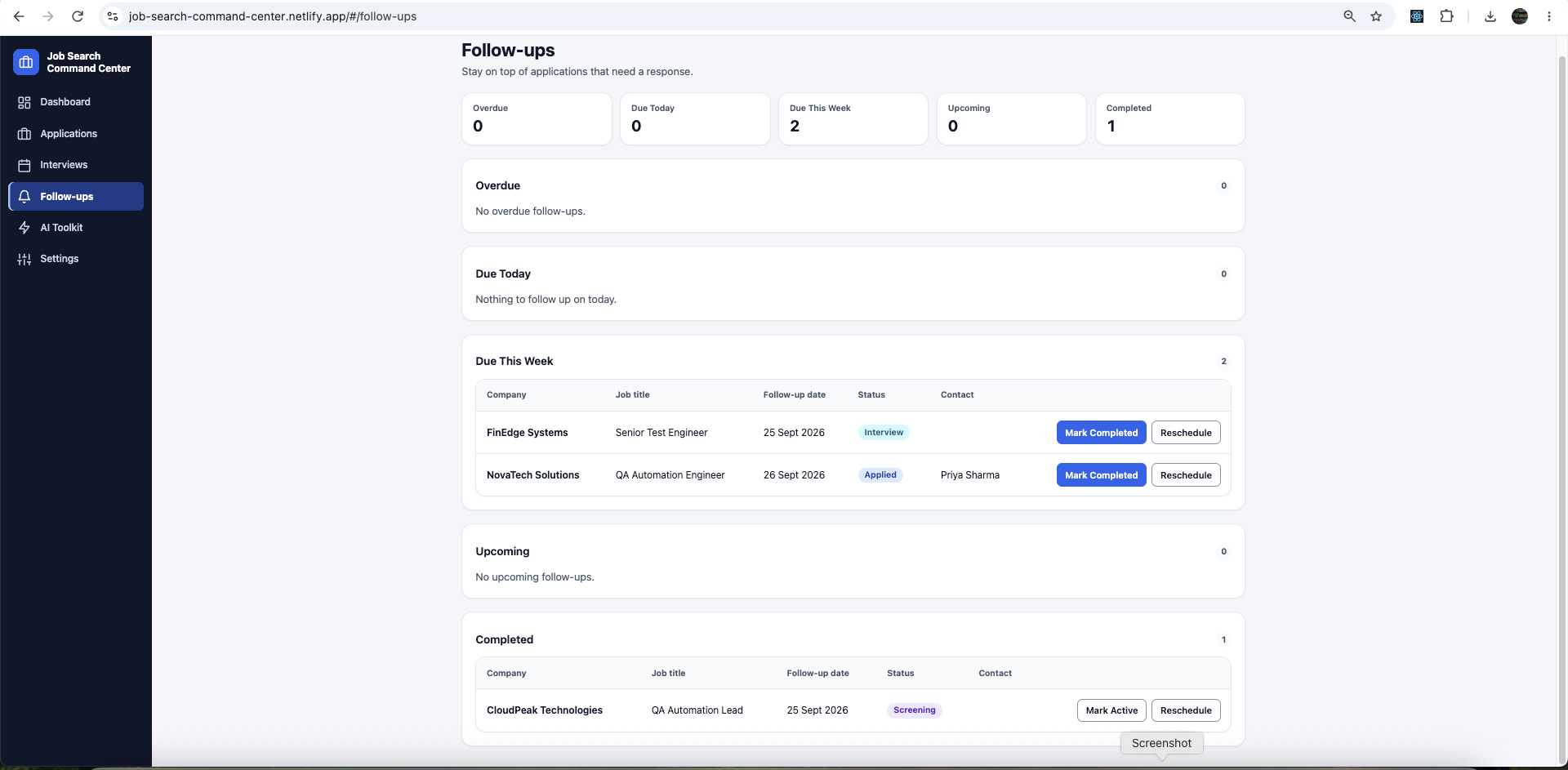
  • Follow-ups page with overdue, due today, due this week, upcoming and completed follow-ups, and Mark Completed and Reschedule actions.
    Stay on top of follow-ups that need a response
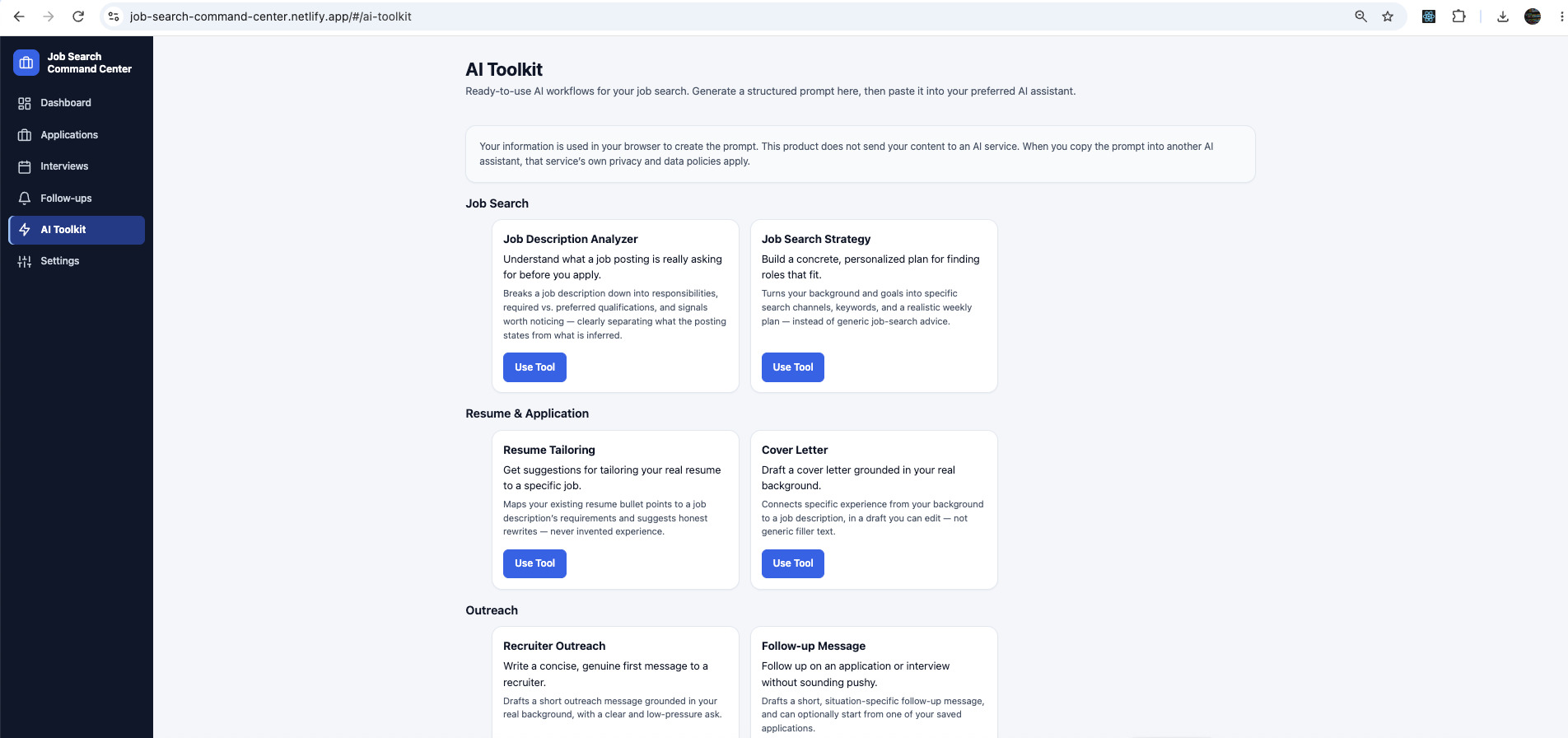
  • AI Toolkit page listing ready-to-use tools grouped under Job Search, Resume and Application, and Outreach, each with a Use Tool button.
    Get help with common job-search tasks
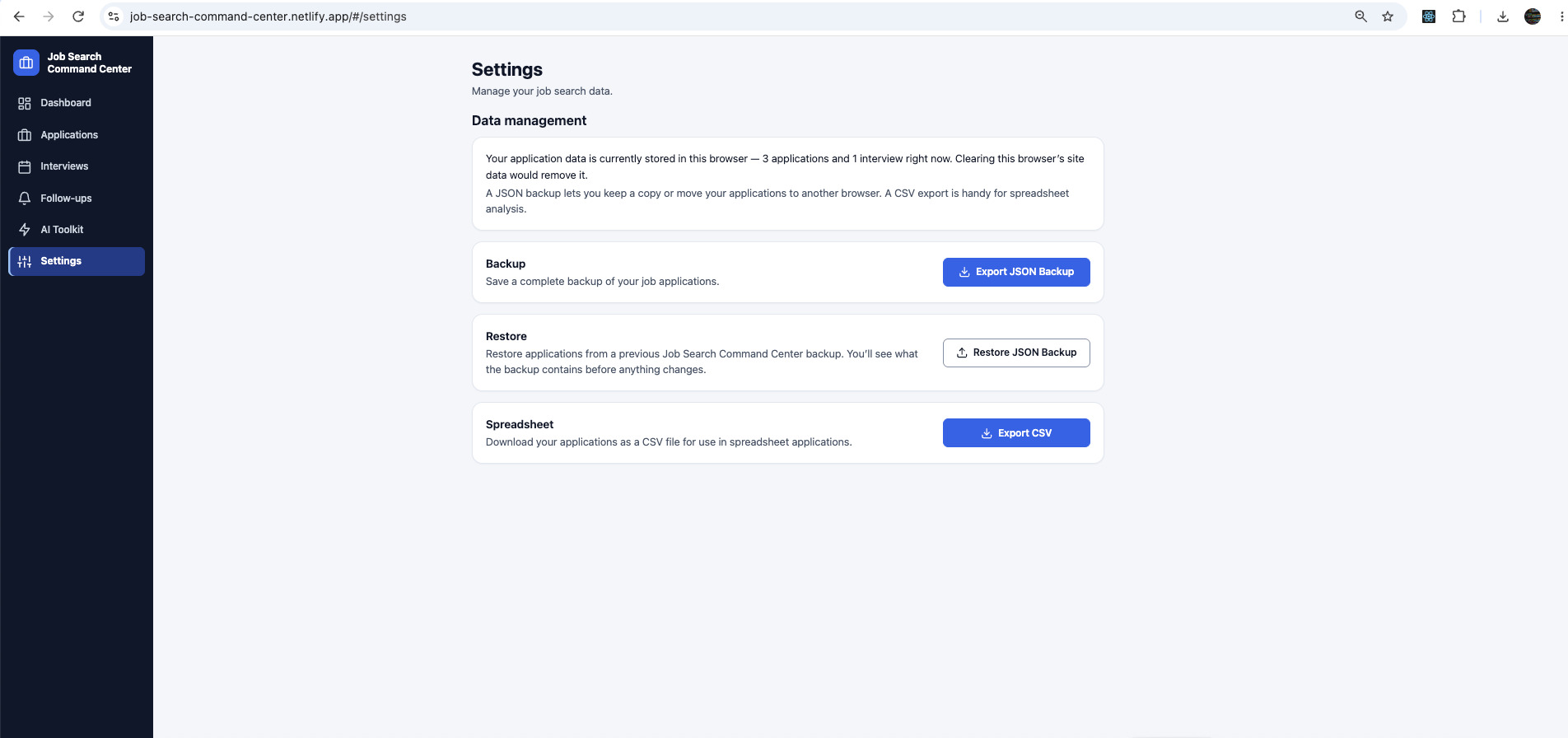
  • Settings page with data management options to export a JSON backup, restore a JSON backup and export applications as a CSV file.
    Back up, restore, and export your data
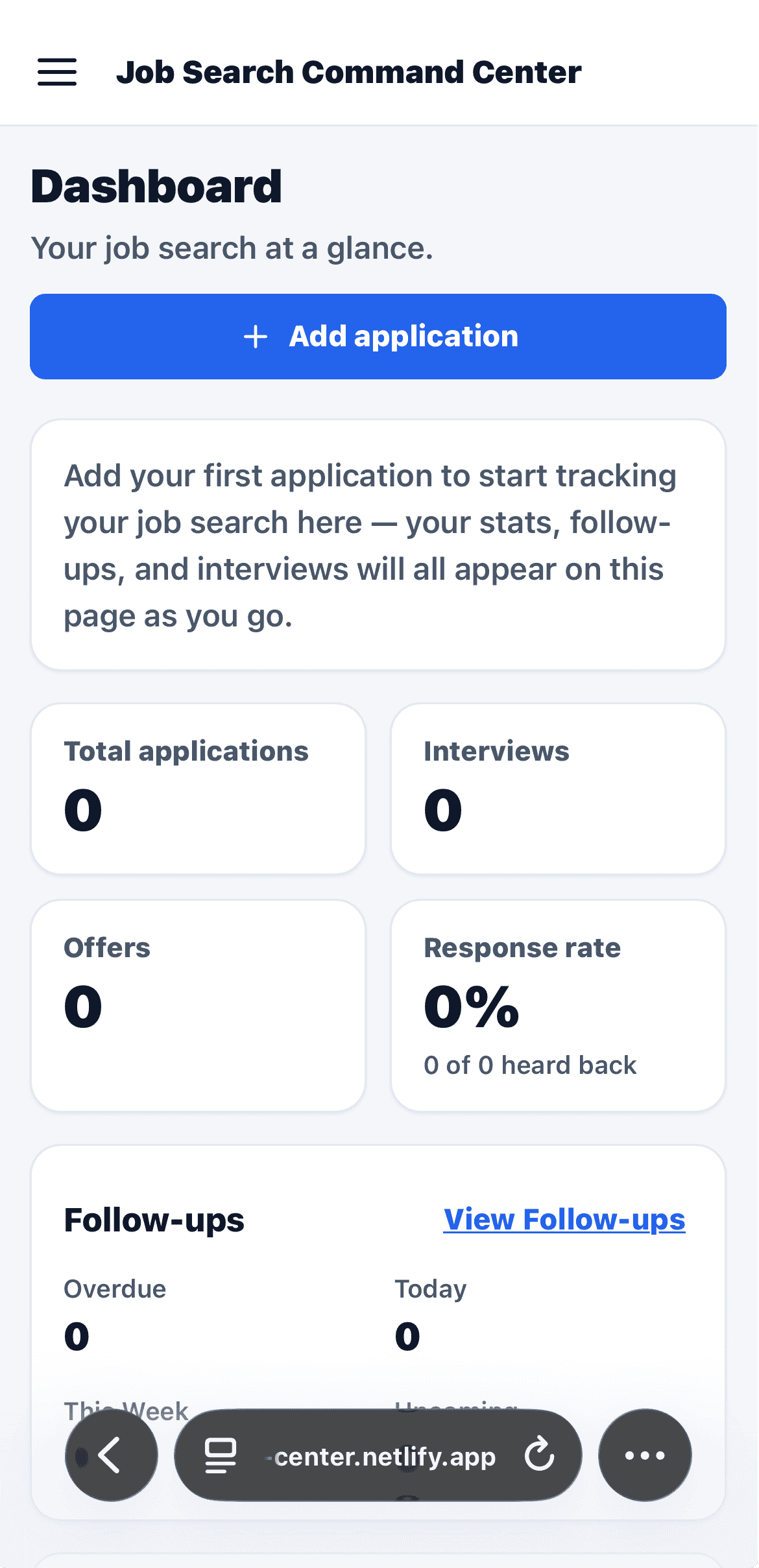
  • Job Search Command Center dashboard on a phone, with an Add application button and summary cards for applications, interviews, offers and response rate.
    Use your job-search workspace on mobile

Stop losing track of your job applications.

  • Multiple applications are difficult to track.
  • Interview dates and follow-ups can be forgotten.
  • Job seekers often use scattered spreadsheets, notes, and browser tabs.
  • It can be difficult to understand overall application progress.
  • Follow-ups can easily be missed.

Key features

  • Application Tracking

    Keep job applications organized in one place.

  • Interview Tracking

    Track interviews, dates, stages, and notes.

  • Follow-Up Tracking

    Keep track of follow-ups with recruiters and companies.

  • Dashboard

    See your job-search activity and progress from one place.

  • Search & Filtering

    Find and filter applications quickly.

  • AI Job Search Toolkit

    Use built-in AI-assisted tools for common job-search tasks such as:

    • Resume tailoring
    • Interview preparation
    • Recruiter follow-ups
    • Job application messaging
  • CSV Export

    Export your application data as CSV.

  • JSON Backup & Restore

    Export your job-search data as a JSON backup and restore it when needed.

How your data is handled

The current Job Search Command Center MVP stores your job-search data locally in your browser.

  1. You
  2. Job Search Command Center
  3. Your browser's local storage
  • No account required for the current MVP.
  • No backend is required for the basic tracker.
  • Your application, interview, and follow-up data is stored in your browser.
  • JSON backup and restore lets you export and restore your data.
  • CSV export lets you export application information.
  • The AI Toolkit does not connect the application to an Inbhatech AI API.

How it works

  1. Add your applications

    Record the jobs you're applying for.

  2. Track interviews and status

    Keep your interview activity and application progress organized.

  3. Manage follow-ups

    Keep track of follow-up information and completed follow-ups.

  4. Monitor your progress

    Use the dashboard and filters to understand your job-search activity.

  5. Use the AI Toolkit

    Use the available tools for common job-search and interview-preparation tasks.

What's included

  • Interactive Job Application Tracker
  • Interview Tracker
  • Follow-Up Tracker
  • Job Search Dashboard
  • Search & Filtering
  • AI Job Search Toolkit
  • CSV Export
  • JSON Backup & Restore

Frequently asked questions

Is Job Search Command Center available?

Yes. The current MVP is live and can be used directly in your browser.

Do I need an account?

No account is required for the current MVP.

Where is my job-search data stored?

The current MVP stores job-search data locally in your browser. You can also export your data using JSON backup or CSV export.

Do I need an AI subscription or API key?

The current AI Toolkit does not require an AI API key connected to Job Search Command Center. The tools are designed to assist with common job-search tasks.

Ready to organize your job search?

Start using Job Search Command Center today. No account required for the current MVP.

  • AI & Hiring

    AI Video Interview Platform

    An AI-powered video interview solution that helps organizations conduct structured candidate interviews and evaluate responses more efficiently.

    SaaS Learn More
  • Testing & Automation

    QA Studio

    Record once, test forever — capture real clicks, form fills, and navigation in your browser, no coding needed.

    Desktop App Learn More